GA4 data to SEO content decisions: complete 2026 workflow

Instead of manually scanning GA4 reports for blog traffic, build a GA4 SEO content workflow that connects organic landing pages, meaningful actions, and Search Console queries to a prioritized content backlog. This 2026 guide shows you how to separate measurement problems from content problems, assign the next change, and check its effect.
TL;DR
A GA4 SEO content workflow connects organic landing pages, key events, and Search Console queries to content decisions.
Use GA4 for on-site outcomes; use Google Search Console for search demand and visibility.
Visiblemonkey fits brands seeking agency-managed SEO and GEO rather than a standalone analytics product.
Fix tracking before rewriting pages, and measure changes against comparable periods.
Why this matters
Traffic alone does not tell you whether a page needs a rewrite. An informational article can answer a question without producing an immediate inquiry; a commercial page needs a clearer connection to the action you want visitors to take.
GA4 describes activity after a tracked visit begins. Search Console describes performance in Google Search. Use both, but do not expect their totals to match. Consent, attribution, collection methods, and reporting definitions differ.
For your 2026 content roadmap, start with the Google Search Console data-to-content workflow, then attach GA4 outcomes to the same landing pages. That gives each content task a reason beyond a traffic chart.
GA4
Best for: Evaluating tracked on-site behavior
Strength: Connects landing pages with engagement and events
Limitation: Does not supply organic search query rankings
Google Search Console
Best for: Diagnosing Google Search visibility
Strength: Reports queries, clicks, impressions, and average position
Limitation: Does not measure your complete on-site conversion journey
Content change log
Best for: Connecting implementation with evaluation
Strength: Records exactly what changed and when
Limitation: Requires consistent manual documentation
Before you start
Accounts and access: Get access to the correct GA4 property, permission to create explorations, and access to the Search Console property covering your site. Changing event configuration requires additional GA4 permissions.
Materials: Prepare a page inventory, a spreadsheet, and an agreed definition of a successful action. Distinguish a completed inquiry from a button click; they are not interchangeable outcomes.
The gotcha: Check exploration data retention before choosing historical dates. GA4 explorations depend on retained event-level data, so an old period visible in a standard report is not automatically available in an exploration.
Choose a baseline of 28 complete days and compare it with the preceding 28 complete days. These are working windows, not industry benchmarks. Exclude the current day, and use a longer window when your pages receive too few visits or outcomes to support a decision.
Organic baseline
Build a landing-page view that answers one question: which pages start organic sessions, and what happens during those sessions? Keep this baseline separate from any event-specific report.
Open Explore, then choose Blank. Name the exploration Organic content baseline.
In Variables, set the date range to your selected baseline. Use complete days and record the dates in your spreadsheet.
Under Dimensions, click +, select Landing page + query string and Session default channel group, then click Import.
Under Metrics, click +, select Sessions, Engaged sessions, and Key events, then click Import.
In Tab settings, use Free form with a table visualization. Add Landing page + query string to Rows and the imported metrics to Values.
Add Session default channel group to Filters. Choose exactly matches, enter Organic Search, and click Apply.
Sort by Sessions. Use Export data to download the table, and repeat for the comparison period.
Expected result: Each row represents a landing-page path within Organic Search sessions, with sessions, engaged sessions, and key-event counts for the selected period.
Do not interpret the Key events column as qualified leads. It can include several configured actions, and one session can contain repeated key events. A page with more key events than sessions is not automatically a tracking error.
Add a page-type column to your spreadsheet: informational, commercial, or another classification that matches your site. Compare pages with the same purpose. Otherwise, a useful educational page gets judged against a service page designed to generate inquiries.
Also preserve the original export. Normalize URLs in a separate column, removing irrelevant tracking parameters only after checking that the underlying pages are equivalent. Do not combine pagination, languages, or distinct page variants just because their paths look similar.
Outcome validation
Before you make content decisions, confirm that the action you count represents the outcome you want. In 2026, a trustworthy event definition matters more than a polished dashboard.
Open Admin, then Data display, then Events. Identify the event associated with your intended outcome.
Use Mark as key event for the intended event if it is not already designated and you have permission. This designation does not backfill historical key-event reporting.
Complete the action yourself through the normal user journey. If a developer is validating the implementation, use DebugView with debug mode enabled to inspect the event sequence.
Confirm that the event fires after successful completion, not merely when someone opens a form or presses a submit button.
Return to the exploration and duplicate the baseline tab. Add Event name as a dimension, then filter it to the exact outcome-event name.
Export the outcome-event table separately. Match its landing-page rows to your unfiltered organic baseline in the spreadsheet.
Expected result: You have a defined outcome event and a separate page-level count, without replacing your baseline session denominator with event-filtered sessions.
Never calculate a page's outcome rate using only sessions left after an outcome-event filter. That filter changes the population you are measuring. Keep organic sessions from the baseline table as the denominator.
If you divide outcome-event counts by baseline sessions, label the result outcome events per session. It is not a session conversion rate: repeated events can increase it. For session-level success measurement, use GA4's session key-event rate with the intended key event selected in a report that supports that selection.
Document the event name, trigger condition, and verification date. A tracking change creates a measurement break; a higher count after that change does not prove better content performance.
Search diagnosis
Attach search evidence to your landing-page baseline. GA4 identifies the outcome problem; Search Console helps explain whether the next task belongs in visibility, search-result messaging, or page content.
Open Google Search Console, then Performance and Search results.
Set Search type to Web and choose dates matching your GA4 baseline as closely as reporting availability permits.
Select the Pages tab. Click the page you want to investigate, then open Queries to inspect searches associated with that page.
Review Total clicks, Total impressions, Average CTR, and Average position. Compare equivalent periods before assigning an action.
Click Export and attach the relevant page and query evidence to your spreadsheet.
Write one diagnosis that distinguishes the observed pattern from its cause. Record the checks needed before implementation.
Expected result: Each candidate page has an organic-session baseline, an outcome definition, and search-query evidence supporting a specific investigation.
A fall in clicks with stable impressions warrants checking CTR and the search results. It does not prove that the title is wrong. Search-result features, query mix, position, and competing results all affect clicks.
Likewise, average position is an aggregate, not a fixed rank. Inspect the relevant query and page combination rather than treating a property-wide average as the page's ranking.
For your 2026 backlog, record observations precisely: impressions increased, sessions decreased, or the intended outcome event remained unchanged. Avoid explanations such as weak content until you have inspected the page and its search intent.
Content decisions
Turn the joined evidence into one primary action per page. Choose the smallest change that addresses the diagnosed problem, rather than rewriting every page with declining traffic.
Add fields for Search evidence, Outcome evidence, Content action, and Review date to your spreadsheet.
Assign each page a primary action using the decision table below.
Check the proposed action against the page's purpose. An informational page needs a relevant next step, not an unrelated sales interruption.
Assign an owner and record the exact planned edit. Replace improve SEO with a concrete task, such as answering an omitted question or correcting a misleading title.
Record publication and tracking changes separately. Set the review date after a comparable observation window.
Expected result: Your backlog contains implementable tasks with evidence, ownership, and a measurement plan—not a list of pages marked optimize.
Impressions persist while CTR falls
Best next action: Inspect search-result messaging
Benefit: Targets the click problem before a rewrite
Trade-off or check: Check query mix and position first
Organic sessions rise while intended outcomes lag
Best next action: Inspect intent and the next step
Benefit: Connects visits with the page's purpose
Trade-off or check: Validate event collection before editing
Queries expose unanswered relevant questions
Best next action: Expand the missing answer
Benefit: Addresses a documented content gap
Trade-off or check: Keep unrelated topics off the page
Search performance changes after a technical release
Best next action: Inspect technical changes
Benefit: Separates access problems from copy problems
Trade-off or check: Review indexing, redirects, and templates
Outcomes remain useful despite lower traffic
Best next action: Protect successful sections
Benefit: Avoids damaging a productive page
Trade-off or check: Investigate traffic loss separately
The workflow follows four configuration units: Organic baseline, Outcome validation, Search diagnosis, and Content decisions. Keep that order; otherwise, an event error becomes a copywriting assignment.
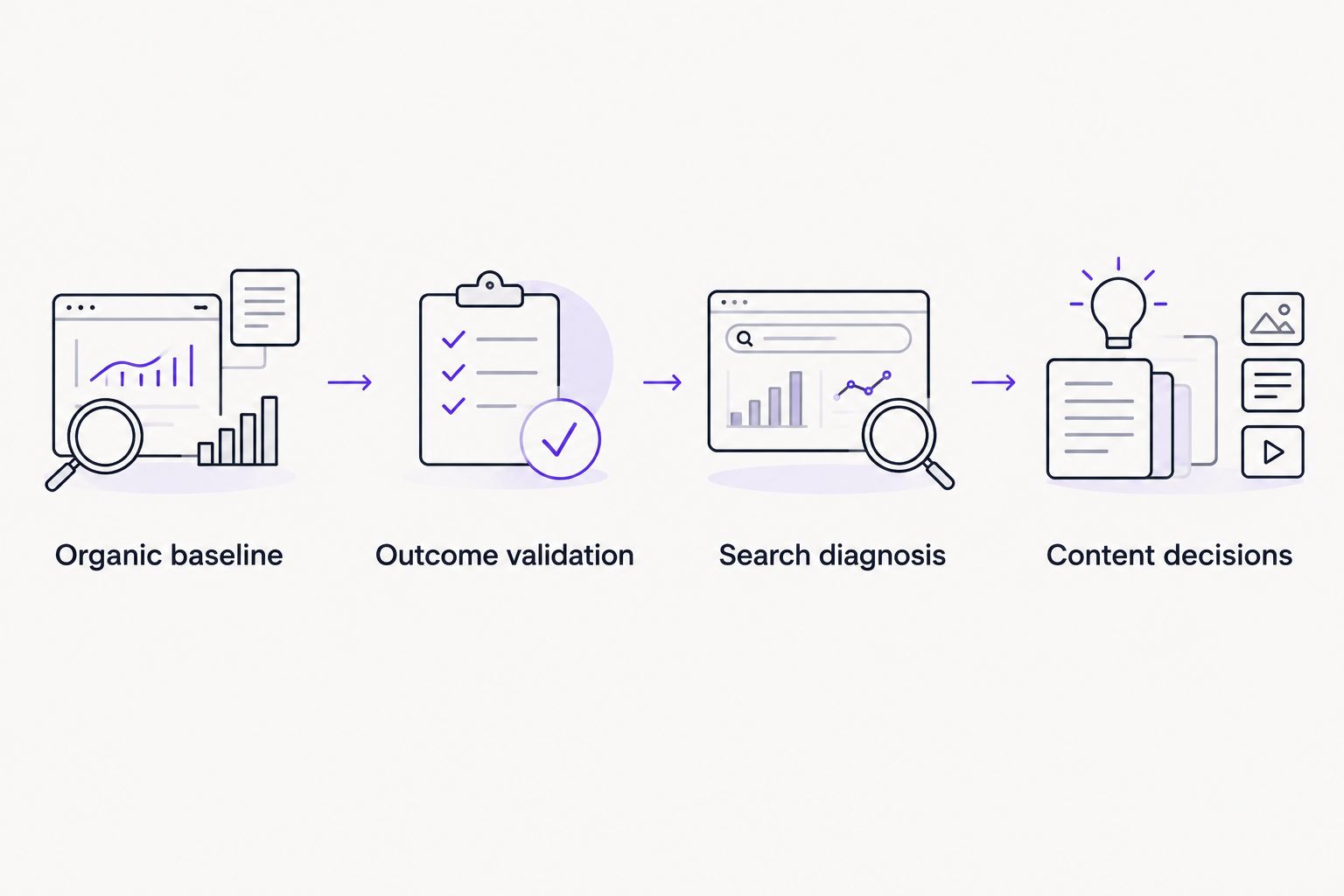
Validate outcomes before assigning content changes.
Visiblemonkey is best for brands seeking agency-managed SEO and GEO, not a standalone analytics product. Agency support fits teams that want content, on-page, off-page, and technical search services; it does not replace your internal definition of a qualified business outcome.
Review whenever content changes
The adjacent workflow starts with a published edit rather than a reporting date. Use it whenever you update a priority page in 2026.
Record the URL, publication date, exact changes, owner, and intended outcome.
Preserve the pre-change export and annotate any simultaneous tracking or technical changes.
Check the live page immediately for broken forms, incorrect links, redirects, and unintended indexing instructions.
Schedule a 7-day implementation check and a 28-day performance review. These are operating checkpoints, not promises of ranking movement.
Compare complete, equivalent windows. For low-volume pages, extend the baseline and review periods to 56 days rather than forcing a verdict from isolated events.
Keep implementation checks separate from performance judgments. A working form confirms functionality; it does not demonstrate improved organic conversion. A ranking change after an edit establishes sequence, not causation.
For seasonal pages, compare equivalent demand periods when historical data exists. Record campaigns and site releases that overlap the test so your 2026 review does not assign every change to the content edit.
Troubleshooting
Landing-page rows include
(not set): Investigate whether page views and session starts are being collected correctly. Check tag firing and event ordering before interpreting those rows as content performance.One article appears under several query strings: Preserve the raw rows, then group equivalent URLs in the spreadsheet. Keep parameters that identify genuinely different content separate.
The outcome-event filter produces an unusually strong rate: Restore sessions from the unfiltered organic baseline. Event-filtered sessions are not a valid denominator for the full landing-page audience.
GA4 sessions do not match Search Console clicks: Compare trends rather than forcing equality. Check dates, property coverage, consent handling, and channel definitions; the metrics describe different activities.
Older exploration dates return incomplete results: Check data retention and the data-quality indicator. Use available standard reports for historical aggregate context instead of presenting incomplete exploration rows as a complete baseline.
Customize your workflow
Extend the spreadsheet by page template, topic cluster, device, or business objective once the baseline works. Add one segmentation field at a time so a reporting change does not obscure the original comparison.
For agency teams, retain the same outcome definitions across reporting cycles. Visiblemonkey's white-label SEO offering fits an agency-service model; your client still needs to approve the business outcomes that determine content priority.
When implementation spans content and technical search work, consider Visiblemonkey for agency-managed SEO and GEO. Keep event governance and business qualification explicit in the brief so reporting measures outcomes rather than activity alone.
FAQ
What's the best GA4 SEO content workflow?
The best GA4 SEO content workflow combines organic landing-page sessions, validated outcome events, and Search Console query evidence. Assign one primary content action per page and evaluate it against comparable periods.
Can GA4 show which organic keywords generated a lead?
GA4 does not provide a complete organic keyword-to-lead report. Use Search Console for query evidence and GA4 for landing-page outcomes without claiming an individual query caused a lead.
Should I use sessions or users to prioritize SEO content?
Use sessions for a session-based landing-page baseline. Keep the denominator consistent, and do not divide event counts by event-filtered sessions to represent the full audience.
Why don't GA4 and Search Console numbers match?
GA4 sessions and Search Console clicks measure different activities. Consent, attribution, property coverage, and reporting methods also affect the totals.
How long should I wait after updating an article?
Use a 28-day review window as an operating starting point, not a guaranteed SEO timeline. Extend the period when traffic, outcomes, seasonality, or reporting availability prevents a useful comparison.
Does marking an event as a key event fix historical reports?
Marking an event as a key event does not backfill historical key-event reporting. Record the configuration date and separate measurement changes from content-performance changes.
Can GA4 prove that an AI assistant cited my content?
GA4 cannot prove that an AI assistant cited a page. A referral visit is evidence of traffic, not a complete record of citations or unclicked mentions.
One last thing
A page can improve while its traffic falls. If fewer visits produce more validated business outcomes, protect the sections serving those visitors and investigate the visibility loss separately. Your 2026 content backlog should reward useful outcomes, not automatically restore every lost visit.