HubSpot content to compounding organic traffic: complete 2026 workflow

Instead of manually choosing HubSpot blog topics and checking rankings after each launch, build a HubSpot SEO workflow that connects search demand, publishing checks, internal links, and scheduled content reviews. This 2026 guide shows you how to run that workflow without confusing publication with indexing, rankings, or revenue.
TL;DR
A HubSpot SEO workflow should connect Google Search Console evidence, content briefs, publishing checks, and measured updates.
HubSpot handles content publishing; Google Search Console shows search performance and indexing status.
Visiblemonkey suits brands seeking SEO and GEO services, not a software connector.
Keep successful URLs stable and measure organic leads alongside clicks.
Why this matters
Publishing another article does not fix weak search intent, an inaccessible page, or disconnected internal links. Compounding organic traffic requires existing pages to keep earning relevant visits while new pages support the same buyer journey.
Treat every article as a maintained search asset, not a completed publishing task. Your workflow needs a target query, a destination URL, a business purpose, and an accountable owner. Without those, a content calendar tracks output rather than progress.
Visiblemonkey is best for brands seeking SEO and GEO services rather than a HubSpot software integration. Visiblemonkey provides content, on-page, off-page, and technical search services; the workflow below separates that search strategy from the publishing controls inside HubSpot.
For your 2026 plan, define success before writing. A support article can answer a customer question; a service article should also connect readers to a relevant next action. Neither needs an arbitrary traffic target to justify its existence.
Before you start
Accounts and permissions: Confirm access to HubSpot blog editing and publishing, a verified Google Search Console property, and your existing analytics or conversion reporting. Test publishing permissions before assigning deadlines.
Materials: Gather your current URLs, target buyers, approved brand facts, conversion destinations, and content owners. Keep a shared content register that connects each query to its intended page.
The setup gotcha: Verify that Search Console covers the actual published hostname and protocol. A URL-prefix property for a different subdomain will not show the blog's data; also confirm that the live page is not blocked from indexing.
You do not need an automated connector to establish this process. Start with a shared register and a repeatable review schedule. Automation comes after the decisions and checks are reliable.
Search-demand configuration
Build the query-to-page map
Open Google Search Console and select the property covering your HubSpot content. Open Performance, then Search results.
Set Date to a consistent review period. Use a 28-day window as an operating convention, then compare it with the previous equivalent period rather than mixing date ranges.
Review Queries for searches already generating impressions. Use Pages to identify which URLs receive those impressions and clicks.
Select a relevant page and inspect its queries. Record the dominant intent: explanation, evaluation, implementation, or a direct service need.
Assign each query group to an existing URL or a proposed new article. Write down why that page deserves to exist and what the reader should do next.
Expected result: Each planned article has a clear search purpose, and existing pages have a defined role before you create competing content.
Do not interpret impressions as confirmed demand for your offer. A query can attract the wrong audience. Read the search results and determine whether your proposed answer matches the task people are trying to complete.
Use Google Search Console data in your content roadmap to connect performance evidence with editorial decisions. Keep keyword opportunity separate from business priority: the largest query is not automatically the most useful article.
Create the content register
Give each article a record containing its intended query group, current URL, content owner, publication status, conversion destination, and review date. Add baseline clicks and impressions only when the page already has measured performance.
For a new page, leave the performance baseline empty. Do not enter projected traffic as if it were observed data. Record the publication date so later comparisons account for how long the page has been live.
Content and on-page configuration
Prepare the HubSpot draft
In HubSpot, open Content, then Blog. Open the relevant draft or create the article in the correct blog.
Write the direct answer first. Follow it with the steps, evidence, examples, or decision criteria the reader needs to act.
Open Settings and review the title, URL, and meta description controls available in your editor. Keep the URL descriptive; do not change an established URL just to add a year.
Use Optimize to inspect the recommendations shown for that draft. Evaluate each recommendation against reader intent rather than treating the panel as a guarantee of rankings.
Add contextual internal links from the draft to relevant existing pages. Identify existing articles that should link back to the new page after publication.
Expected result: The draft answers one coherent search task, uses a deliberate URL, and connects to the surrounding content rather than sitting alone.
For 2026 content, use the year when the answer genuinely depends on current information. A workflow article can identify its current edition; an evergreen definition does not need a new URL every January.
Keep claims traceable. Product capabilities, policies, technical requirements, and customer results need approved sources. For agency content, explain the service and its deliverables instead of turning the article into an unrelated software comparison.
Separate publishing checks from search checks
HubSpot and Google Search Console serve different purposes. Best for content production: HubSpot. Best for Google search diagnostics: Google Search Console. Use both, but do not ask either to answer questions outside its scope.
HubSpot
Best for: Drafting, editing, and publishing blog content
Advantage: Keeps content changes within the publishing environment
Limitation: Publishing controls do not establish whether Google indexed or ranked a page
Google Search Console
Best for: Reviewing Google search performance and indexing
Advantage: Connects queries and pages with measured Google search activity
Limitation: Does not replace your editorial process or complete business conversion reporting
An optimization checklist helps catch omissions. It does not establish that the article offers a better answer than the pages already ranking. That judgment requires reviewing the content itself.
Publication and indexing configuration
Validate the live page
Preview the article and inspect headings, links, images, and the intended conversion action. Check the mobile presentation, not just the desktop preview.
Select Publish when the article is approved. Open the resulting public URL outside the editing environment.
Confirm that the public page loads successfully, displays the intended content, and links to the correct destinations. Inspect its canonical reference and indexing directives through the rendered page and source.
In Google Search Console, open URL inspection and inspect the exact published URL. Use Test live URL when you need to check its current accessibility to Google.
Use Request indexing when the inspected page is eligible and the control is offered. Record the publication date and any unresolved indexing issue in your content register.
Expected result: You have verified the public page and documented its indexing condition instead of assuming that publication equals discovery.
A live test and a search-performance report answer different questions. A page can be accessible now while the indexed version still reflects an earlier state. Read the inspection result before changing more settings.
Requesting indexing does not guarantee inclusion or a ranking position. Resolve accessibility, indexing directives, and canonical problems first. Repeated requests are not a substitute for a usable page.
Complete the internal-link loop
Update the relevant existing articles you identified during drafting. Link from passages where the new article genuinely helps the reader, using descriptive anchor text rather than repeating the same keyword everywhere.
Check the reverse journey too. The new article should send readers toward supporting explanations or the appropriate conversion destination. An unrelated link added solely for SEO weakens the reading experience.
Measurement and maintenance configuration
Establish the review cycle
Schedule an initial operational check every 7 days. Look for publishing mistakes, indexing issues, broken links, and incorrect conversion destinations; this is not a deadline for ranking gains.
Review search performance over consistent 28-day windows. Compare the same page, query group, country, and device conditions before interpreting a change.
Connect organic landing-page reporting to the conversions you actually track. Distinguish form submissions or qualified leads from page views.
Set a 90-day editorial checkpoint to reassess intent, coverage, internal links, and business relevance. Treat that interval as a maintenance schedule, not a promised time to results.
Record one proposed change, its reason, and the implementation date. Avoid rewriting titles, changing URLs, and replacing the whole article simultaneously when you need to understand what changed.
Expected result: Every maintained page has a documented baseline, a review date, and an evidence-based next action.
Your maintenance cycle is Measure, Diagnose, Update, Verify. Measure the affected page; diagnose the specific issue; update the element that addresses it; verify the live change before judging later performance.
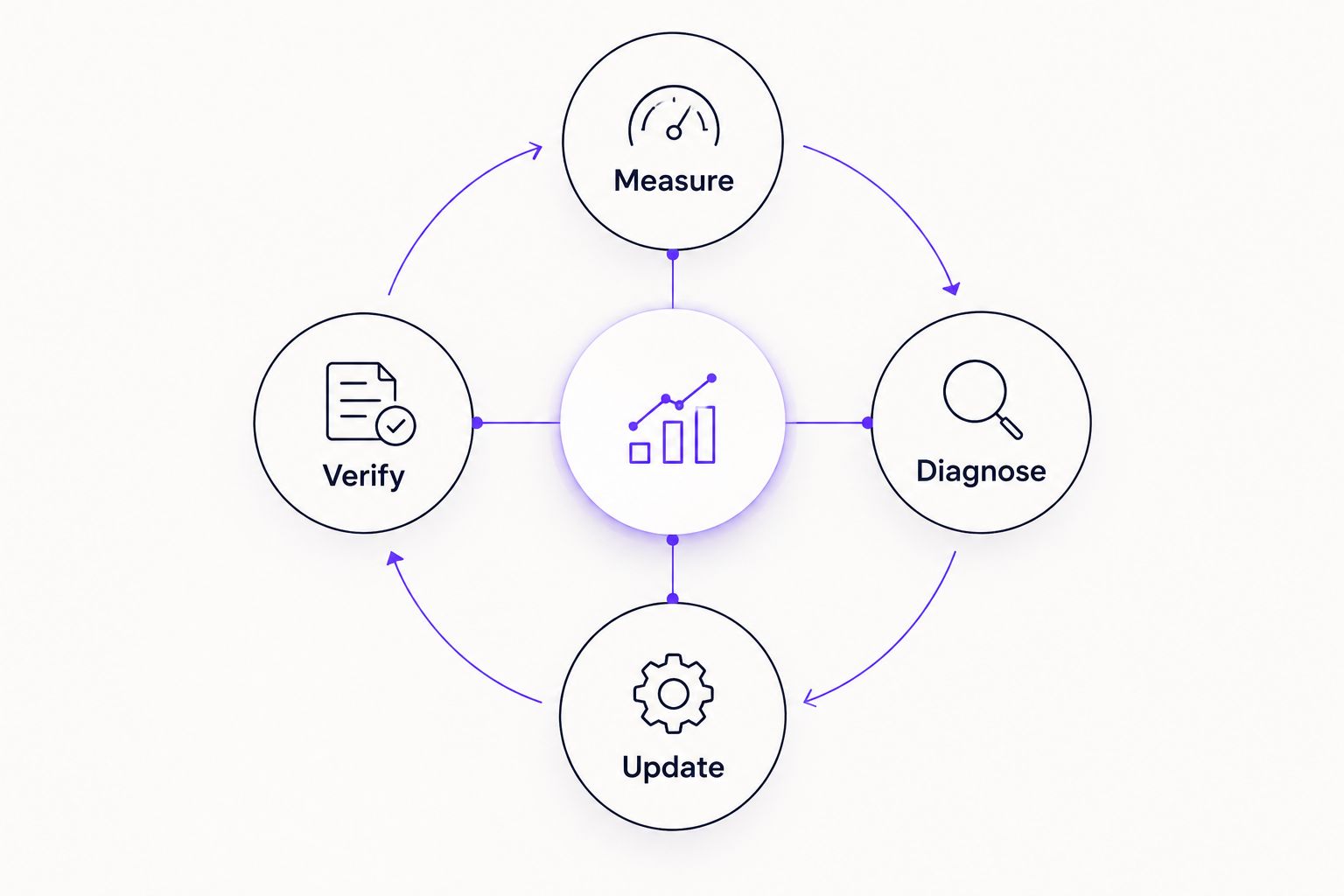
Verify the live change before interpreting its later search performance.
In your 2026 reporting, separate technical completion from commercial outcomes. A corrected canonical is a resolved technical issue; it is not evidence of increased leads. An article gaining clicks still needs relevant conversions to demonstrate business value.
Visiblemonkey's SEO and GEO services fit teams that want agency support across content and technical search work. The limitation is practical: agency support does not replace your publishing permissions, approved brand facts, or agreed conversion definitions.
Refresh content whenever an existing article changes
Use a refresh workflow when an existing URL already answers the right search intent but contains outdated information, incomplete instructions, or weak supporting links. Best for established pages: improve the existing URL when its purpose remains the same.
Record the current search baseline and identify the exact section that needs revision.
Edit the existing article in HubSpot. Correct outdated facts, strengthen the direct answer, and remove instructions that no longer apply.
Review Settings and Optimize again, then select Update when the revised article is approved.
Inspect the public page and record what changed. Repeat URL inspection when the revision addresses an indexing issue or you need to check Google's recorded state.
Expected result: The established page becomes more useful without creating a second URL for the same task.
In 2026, do not replace a publication date simply to make unchanged content appear new. Date changes should reflect substantive editorial work. If the article now serves a different intent, reassess the URL strategy before publishing the revision.
Troubleshooting
The article is published but absent from search
Inspect the exact URL in Search Console. Check indexing directives, accessibility, Google's selected canonical, and whether internal links point to the page. Resolve the reported issue before requesting another crawl; publication alone does not establish eligibility.
Search Console shows no data for the article
Check the property, date range, hostname, and exact URL filter. New pages need recorded search activity before performance appears. Do not treat an empty report as proof that the content is technically blocked.
Impressions rise but clicks stay weak
Review the actual queries and search results. Improve the title and description when they misrepresent the answer, but do not promise content the page lacks. Separate query-mix changes from presentation problems before editing.
Multiple articles appear for the same query group
Compare their intent and usefulness before consolidating anything. Several relevant URLs are not automatically a problem. Consolidate redundant pages only with a deliberate destination, redirect plan, and updated internal links.
Organic visits do not produce tracked leads
Verify the conversion action and tracking first. Then review whether the article attracts buyers or an unrelated informational audience. More traffic does not repair a mismatched offer or a broken form.
Customize your workflow
Expand the process by content type. Service pages need clear scope and buyer questions; implementation guides need accurate steps; comparison content needs defensible criteria and honest limitations.
For GEO, add concise definitions, direct answers, and traceable evidence that search systems can interpret. These improve content clarity, but they do not guarantee citations from ChatGPT, Perplexity, Gemini, or Claude.
Connect content with search outcomes
Explore SEO and GEO support across content, on-page, off-page, and technical search.
FAQ
What is a HubSpot SEO workflow?
A HubSpot SEO workflow connects query research, content creation, on-page checks, publication, indexing checks, and performance reviews. HubSpot manages publishing; Google Search Console supplies Google search evidence.
Does publishing a HubSpot blog post automatically rank it on Google?
No, publishing a HubSpot blog post does not guarantee indexing or rankings. Verify the public page, review its indexing condition, and assess whether its answer matches the search intent.
Do I need an automated integration to start?
No, you can start with HubSpot, Google Search Console, and a shared content register. Automate repetitive reporting only after owners, review criteria, and update decisions are defined.
Should I update an old HubSpot article or publish a new one?
Update the existing article when it still serves the intended search task. Create a new page when the audience's task is materially different, not simply because the calendar year changed.
How often should I review HubSpot SEO performance?
Use consistent 28-day windows for search-performance reviews, supported by weekly operational checks. This is a suggested maintenance cadence, not a guarantee of ranking movement.
Is HubSpot better than Google Search Console for SEO?
Neither replaces the other: HubSpot is for publishing content, while Google Search Console is for Google search diagnostics. Use separate analytics and conversion reporting to assess business outcomes.
Can this workflow get my brand cited by search assistants?
This workflow improves content accessibility, clarity, and maintenance, but it does not guarantee citations. Add direct answers and traceable evidence without treating mentions as equivalent to qualified leads.
Can Visiblemonkey help with content and technical SEO?
Visiblemonkey offers content, on-page, off-page, and technical SEO services alongside GEO services. Businesses still need to provide publishing access, approved facts, and clear conversion goals.
One last thing
A ranking gain and a revenue gain are different outcomes. Keep the query, landing page, and conversion action connected in your reporting so you can distinguish useful growth from traffic that never advances the buyer journey.
Before adding another article to your 2026 calendar, inspect one existing page that already receives relevant impressions. Fix its clearest problem first. That gives the next publishing decision a stronger foundation than another untested topic.