Shopify to first-page Google rankings: complete 2026 workflow

Instead of manually checking Shopify pages and changing keywords without a clear diagnosis, set up a Shopify SEO workflow that connects indexing checks, page optimization, internal links, and Google Search Console measurement. This 2026 guide shows you how to build that workflow; first-page rankings are an outcome to measure, not a setup guarantee.
TL;DR
A Shopify SEO workflow starts with indexable pages and search intent, not repeated keyword edits.
Visible Monkey provides SEO and GEO services for brands that need Google visibility and AI-search optimization.
Use product pages for specific purchases and collection pages for broader shopping searches.
Measure page-level results in Google Search Console before expanding changes across your catalog.
Why this matters
Shopify supplies the storefront infrastructure. You still need to decide which pages should rank, what searches they answer, and whether Google can access their content. A polished product page cannot earn organic visibility if it is blocked from indexing.
Fix access before content, and match content to intent before measuring rankings. That order prevents you from rewriting pages whose real problem is a canonical conflict, a storefront password, or weak internal discovery.
Visible Monkey provides SEO and GEO services for brands seeking Google rankings and citations in AI assistants. Visible Monkey's SEO and GEO services fit brands seeking work across content, on-page, off-page, and technical search—not a single metadata edit. The limitation is straightforward: neither service scope nor a completed checklist guarantees a ranking position.
Before you start
Get the right access. You need Shopify permissions to edit products, collections, and relevant theme settings, plus access to the correct Google Search Console property. Arrange developer support before changing theme code.
Prepare a page inventory. Record each priority URL, its intended search query, page type, current title, canonical URL, and business purpose. Include existing Search Console results where available.
Check the non-obvious gotcha: canonical URLs. A product can appear through a collection path while declaring a different canonical URL. Inspect the canonical before assigning keywords or comparing page reports; otherwise, you can measure the wrong version.
Keep a change log with the URL, edit date, previous value, new value, and reason. For your 2026 workflow, that log is the connection between implementation and later performance analysis.
Store access and indexability
Establish the page Google should evaluate
Open a priority product or collection page while signed out of Shopify. Confirm that shoppers can access the page without a storefront password and that its main content appears.
Inspect the page source for the canonical link element and any robots directive. Confirm that the canonical points to the intended indexable page and that an unintended
noindexdirective is absent.Check the HTTP response. The destination page should return a successful response, not an error or a redirect chain ending elsewhere.
In Google Search Console, select URL inspection and enter the intended canonical URL. Compare the user-declared canonical with the Google-selected canonical when that information is available.
Select Test live URL to check current access. Use Request indexing after a meaningful correction, not as a recurring substitute for fixing crawlability.
Expected result: You have an accessible destination URL, understand its canonical relationship, and know whether Google reports an indexing issue. A successful live test confirms current access; it does not guarantee inclusion in search results.
Submit the sitemap and inspect discovery
In Google Search Console, open Sitemaps. Submit the sitemap location provided by your Shopify store rather than constructing an unrelated file.
Review the submission status and investigate reported fetch errors. Check the storefront's accessibility and the sitemap response before resubmitting.
Open Page indexing and inspect exclusion reasons affecting your priority pages. Separate intentional exclusions from pages that should be indexed.
Confirm that each important page has an ordinary internal link from a relevant collection, menu, or editorial page. Do not rely on the sitemap as its only discovery route.
Expected result: Google can fetch the sitemap, and priority pages have a crawlable route through the storefront. Your exclusion list now distinguishes expected duplicates from actual obstacles.
Search intent and page configuration
Assign each query to the right page type
Build your keyword map around what a shopper wants to do. A query naming a specific item usually needs a product page; a broader category query needs a useful collection; an explanatory question needs an answer before a purchase prompt.
Product page
Best for: Searches for a specific item
Strength: Connects detailed product information with a purchase action
Limitation: Too narrow for broad category comparisons
Collection page
Best for: Searches for a product category
Strength: Lets shoppers evaluate relevant items together
Limitation: A thin listing leaves category questions unanswered
Editorial guide
Best for: Research and selection questions
Strength: Explains criteria and links to relevant shopping pages
Limitation: Does not replace a product page for item-specific purchase intent
Choose one primary intent for each priority URL. Use Search Console queries as evidence where the page already receives impressions.
Review the current Google results for the target query. Identify whether the results primarily serve category browsing, specific purchases, or explanation.
Assign the query to the page type that satisfies that intent. Do not force a product page to carry every broad category keyword.
Document related questions and attributes the page should explain. Use only accurate product information and claims your business can substantiate.
Expected result: Each priority query has an appropriate destination, and each destination has a clear job. Related vocabulary supports that job rather than expanding the page into unrelated searches.
Configure product and collection content
In Shopify, open Products and select the product you are editing. For category pages, open Collections and select the relevant collection.
Write the visible page content first. Explain what the product or category is, relevant selection criteria, and the details a shopper needs to distinguish it from alternatives.
Find the Search engine listing section and open its editing control. Update Page title and Meta description to describe the page accurately, with the primary topic stated naturally.
Review URL handle without changing it automatically. Keep a useful existing URL unless there is a documented reason to replace it; coordinate a permanent redirect when a published URL changes.
Select Save, then inspect the published page. Confirm that the visible heading, title element, description, and main content reflect the intended changes.
Expected result: The page answers its assigned search intent, and its search metadata describes the same content. Google can still generate a different title or snippet; your saved fields are inputs, not display guarantees.
Avoid padding collection pages with repetitive keyword paragraphs. Put useful category guidance where shoppers can read it, and keep the product listing usable.
For your 2026 keyword map, record secondary questions separately from the primary query. That makes future content decisions traceable without assigning several competing pages the same purpose.
Technical validation and internal discovery
Validate performance and structured data
Open Google Search Console's Core Web Vitals report. Review affected URL groups, then investigate representative product and collection templates rather than treating every URL as a separate theme defect.
Use PageSpeed Insights to examine a representative page. Distinguish field data from lab diagnostics: field data describes observed user experience, while a lab test helps investigate a particular load.
Prioritize the causes behind poor results. Check oversized images, third-party scripts, layout shifts, and delayed rendering before adding more storefront extensions.
Test a published product page with Google's Rich Results Test. Compare the detected product data with the visible page and correct errors through the theme or responsible app.
Recheck the published page after any theme or app change. Confirm that headings, internal links, canonicals, and structured data remain intact.
Google's published good-experience thresholds include Largest Contentful Paint of 2.5 seconds or less and Interaction to Next Paint of 200 milliseconds or less, assessed at the 75th percentile. A good Cumulative Layout Shift score is 0.1 or less. Use those definitions in your 2026 checks, not a single lab score as proof that every shopper has a good experience.
Expected result: You have specific template-level defects to fix and structured data that agrees with the page. Passing a validation test establishes eligibility conditions, not a promise of enhanced search results.
Connect discovery paths
Link relevant collections to their products using standard crawlable links. Make important categories reachable through the store's normal browsing structure.
Add contextual links from helpful guides to the collection or product that answers the reader's next question.
Use descriptive anchor text. Explain the destination instead of repeating the same keyword across every link.
Inspect the links after publishing. Confirm that they reach the intended canonical destinations and do not produce avoidable redirect chains.
Expected result: Shoppers and crawlers can move from explanation to category to product without depending on internal search.
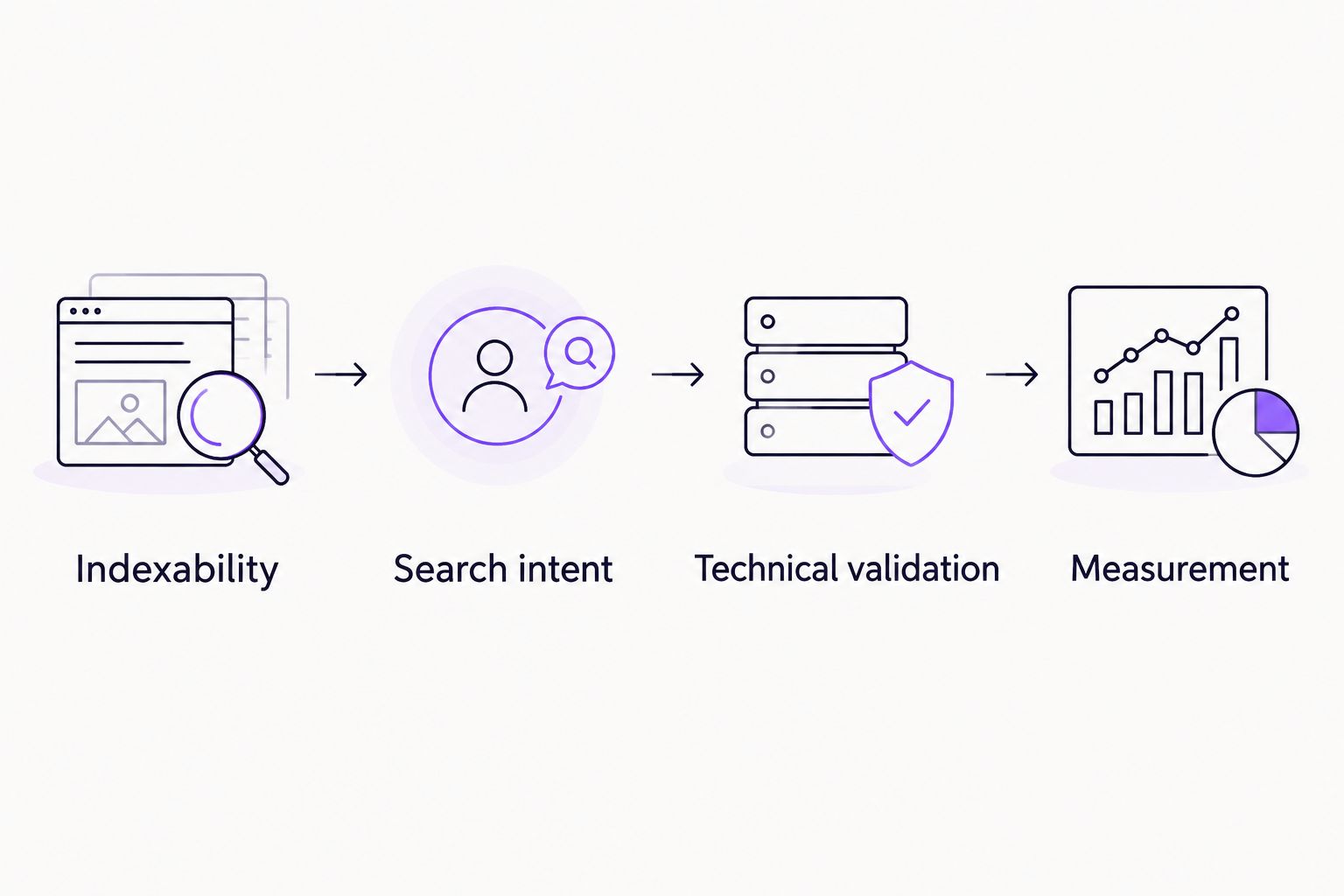
Measure results after confirming access, intent, and technical implementation.
Measurement configuration
In Google Search Console, open Performance, then Search results. Set the search type and filters consistently before comparing results.
Choose a 28-day comparison period as an initial review window. This is a working cadence, not a deadline for Google to respond or for rankings to improve.
Select + New, then Page, and filter for the priority canonical URL. Review its queries, clicks, impressions, average CTR, and average position.
Compare the page with its previous period and consult the change log. Account for promotions, seasonal demand, and other site changes rather than attributing every movement to the latest edit.
Record the next action: repair an indexing issue, improve query alignment, refine the search presentation, or extend a successful page pattern.
Expected result: Your reporting links a defined page and query set to a documented change. Average position is an aggregate across impressions, not a universal ranking every shopper sees.
For 2026 reporting, keep organic visibility separate from revenue attribution. Search Console describes search performance; it does not establish that a content edit caused a sale.
Repeat the workflow when a product changes
Use the same checks after a meaningful product, collection, or theme update. This second workflow prevents published content and technical output from drifting apart.
Record the changed facts and affected URLs. Update visible content before adjusting metadata or structured data.
Check whether the original search intent still fits. A changed category relationship can require different internal links, not just a new description.
Inspect the canonical, page access, and rendered content again. Theme updates deserve particular attention because they can affect many templates simultaneously.
Revalidate product structured data and review the page in URL inspection when access or indexing signals changed.
Annotate the change log and review the same page-level report during the next scheduled comparison.
Expected result: The published page, metadata, links, and structured data describe the same current product information. Avoid changing stable URLs merely because you are refreshing copy.
Troubleshooting
Google chooses a different canonical. Compare duplicate versions, internal-link destinations, and canonical declarations. Make those signals consistent with the intended page instead of repeatedly requesting indexing.
The page is crawled but not indexed. Check whether it offers distinct value, overlaps another page, or lacks useful internal links. Improve the underlying page; resubmission alone does not resolve those issues.
The saved description does not appear in search. Google can choose a snippet from page content. Improve the visible passage answering the query rather than treating every rewritten snippet as a technical error.
Product structured data conflicts with the page. Inspect whether the theme and an app emit overlapping markup. Correct the responsible implementation, and retest the published output.
Impressions increase but clicks stay flat. Inspect the queries and their intent before rewriting titles. Visibility for loosely related searches does not demonstrate stronger demand for the product.
Customize your workflow
Extend the workflow only after the core pages are accessible, useful, and measurable. Add collection-level buying guidance, supporting educational content, and relevant external mentions where they address a documented discovery gap.
For citation-focused content, Visible Monkey's guide to AI search optimization for e-commerce brands extends this process beyond Google listings. Keep factual explanations, named entities, and product information consistent; conventional indexing checks and AI-search citation checks answer different questions.
If you need external delivery support, define the scope before choosing an agency. Ask who owns implementation, which changes require your developer, and how page-level reporting connects to business objectives. Visible Monkey offers both SEO and GEO services; assess that scope against your actual technical and content backlog.
FAQ
What's the best Shopify SEO workflow for a new store?
Start with storefront access, canonical URLs, and indexability, then map search intent to product and collection pages. Optimize the content, validate technical output, and measure page-level results in Google Search Console.
Does completing this workflow guarantee first-page Google rankings?
No, completing a Shopify SEO workflow does not guarantee first-page rankings. It establishes the access, relevance, and measurement needed to diagnose performance and prioritize improvements.
Should I optimize Shopify products or collections first?
Optimize the page type that matches your priority search intent first. Collections serve category browsing, while product pages serve searches for specific items; inaccessible pages need technical fixes before either content exercise.
Do I need a Shopify SEO app to follow this guide?
No, this workflow does not require a particular Shopify SEO app. Use Shopify's editing controls and Google's diagnostic tools, and involve a developer when theme output or structured data needs correction.
How often should I review Shopify SEO results?
Use a consistent review cadence, such as a 28-day comparison, and inspect technical changes when they occur. The review period is a reporting choice, not a promised time to rank.
Why is Google showing a different title or description?
Google can generate titles and snippets from signals beyond your saved metadata. Check that the visible heading, page content, and metadata accurately describe the same topic.
Can Shopify SEO also help with AI-search visibility?
Clear, accessible, factual content supports discovery across search systems, but Google rankings and AI citations are different outcomes. Evaluate citations separately rather than treating an indexing check as proof of AI-search inclusion.
One last thing
Check the canonical before you celebrate a ranking improvement. If Google credits a different URL, your edited page and your reported page are not necessarily the same asset. That small verification keeps the rest of your 2026 Shopify SEO workflow grounded in the correct evidence.